How to Use Coastal Almanac
This page explains how to use Coastal Almanac: open the page that matches what you need, enter or pick your input, then copy, read or print the result. A result looks wrong or a page does not load? Report it on the contact page.
Last updated: November 8, 2026.
Find the page you need
Start on the home page; the menu and the lists there lead to the tide charts, the Hilton Head tide chart and the Cannon Beach tide chart. To check when the next neap tide is, open a chart and look at the daily range: the smallest ranges mark the neaps.
What each page does
Each page takes a place or a date and returns tide times and heights. The table shows what you enter and what you get back.
| Page | What you enter | What you get |
|---|---|---|
| Tide Charts | A station name in the search box, a date and units | The matching stations and their predicted tides for that date |
| Hilton Head Tide Chart | A date and units (feet or metric) | High and low tide times and heights for the day |
| Cannon Beach Tide Chart | A date and units | High and low tide times and heights for the day |
| Folly Beach Tide Chart | A date and units | High and low tide times and heights for the day |
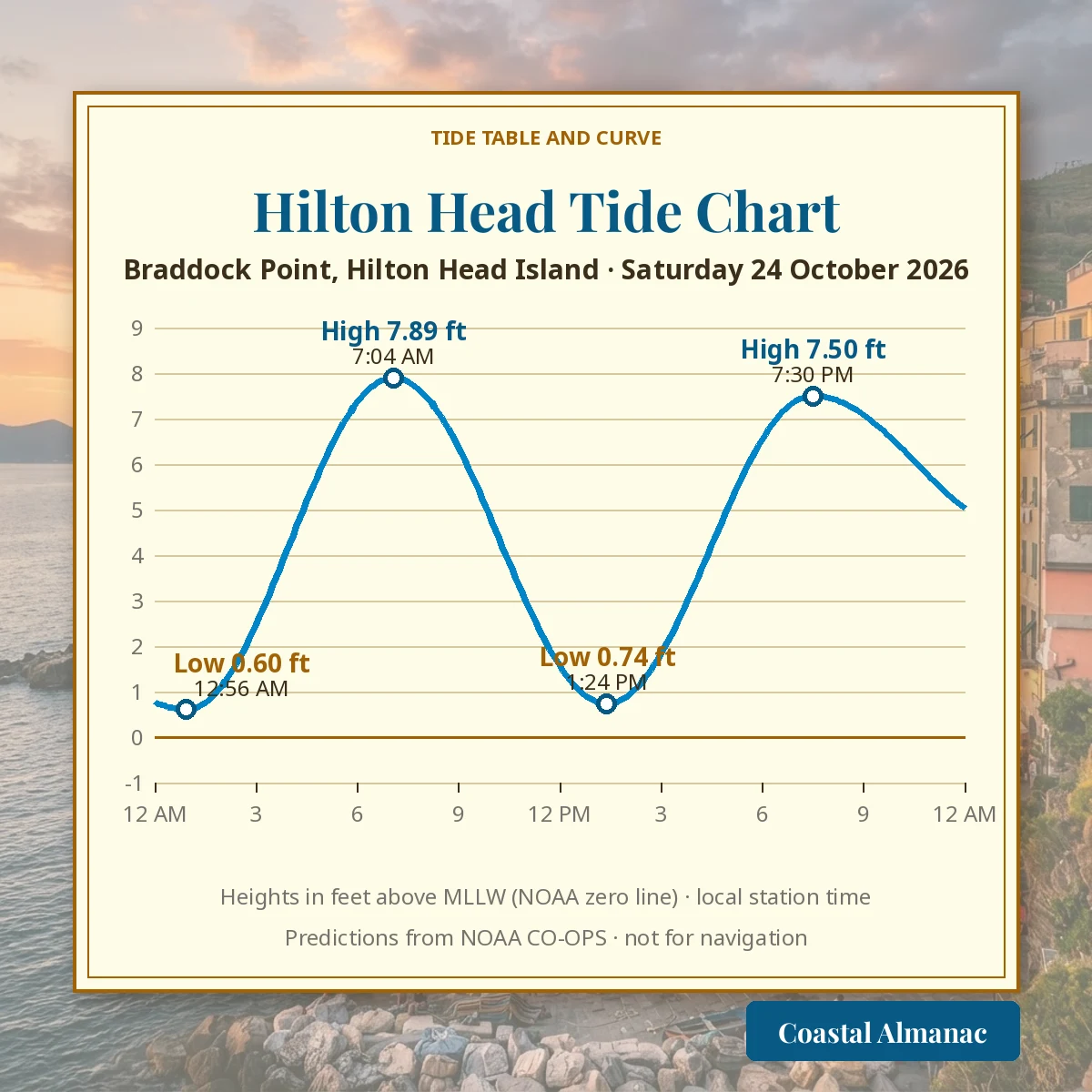
Copy, read or print the result
Each result can be copied with one tap or printed from the browser; nothing you type is sent to an account. Results come from the input you give and from published references, so check them where you will use them. Not for marine navigation; see the disclaimer.
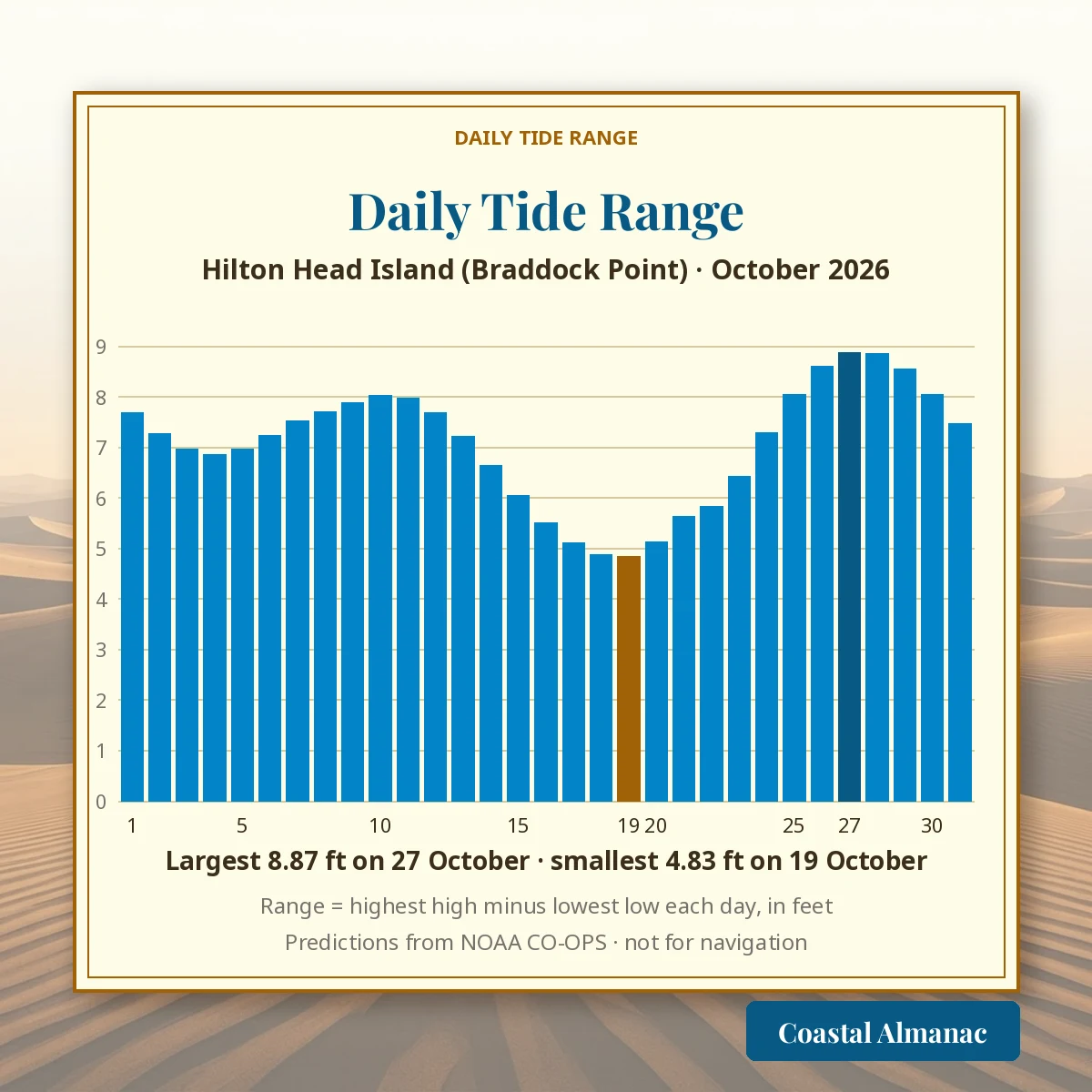
Was this entry useful?
Mark it helpful or tell us what to improve. A short note is enough.
Thank you. Your note has been logged.